Inside the app
Every screen, top to bottom.
The Listblock app has five tabs. Each one is shown here in full, exactly as you'd scroll it on your phone. The figures are sample data, not a real account.
Tab 1 of 5
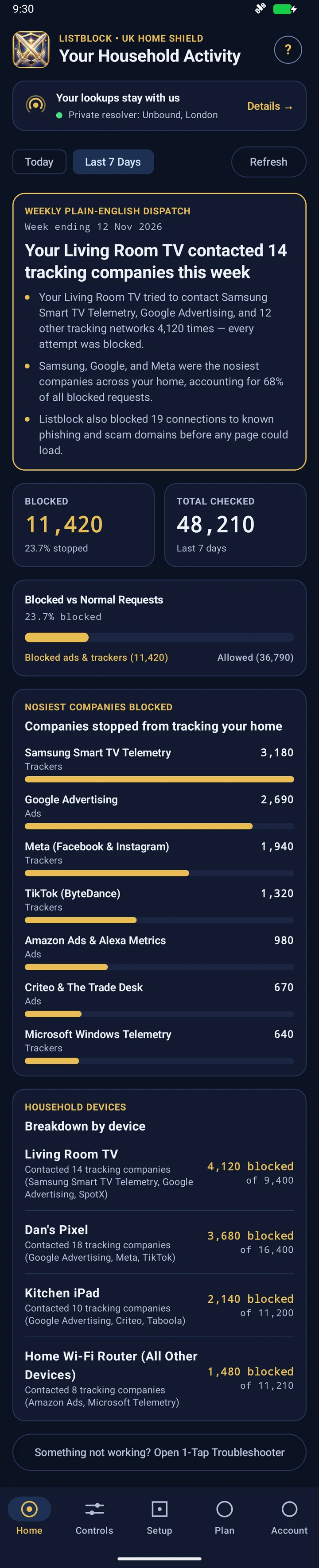
Home
What your devices tried to contact, and what Listblock stopped. No jargon and no raw web addresses.
- A plain-English summary of the week.
- How many lookups were checked and how many were blocked, for today or the last 7 days.
- The companies blocked most often.
- A breakdown for each device.
- Which resolver is answering your lookups.
Tab 2 of 5
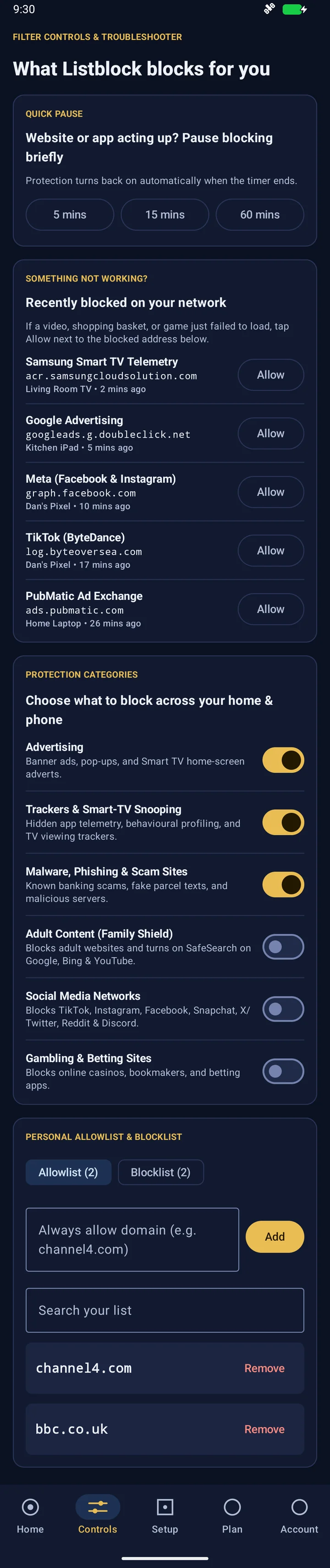
Controls
Decide what gets blocked, and fix things quickly when a site or app misbehaves.
- Pause blocking for 5, 15 or 60 minutes. It switches back on by itself.
- See what was blocked recently and allow it with one tap.
- Turn categories on or off: advertising, trackers, malware and scams, adult content, social media, gambling.
- Keep your own lists of addresses to always allow or always block.
Tab 3 of 5
Setup
Connects your home broadband and your phone to Listblock, one step at a time.
- Register your home internet address, and keep it up to date automatically.
- Step-by-step guides for common UK routers, with a way to test the result and to undo it.
- Phone protection away from home, using Android's Private DNS or the app's on-device DNS guard.
The same steps are written out in the setup guides.

Tab 4 of 5
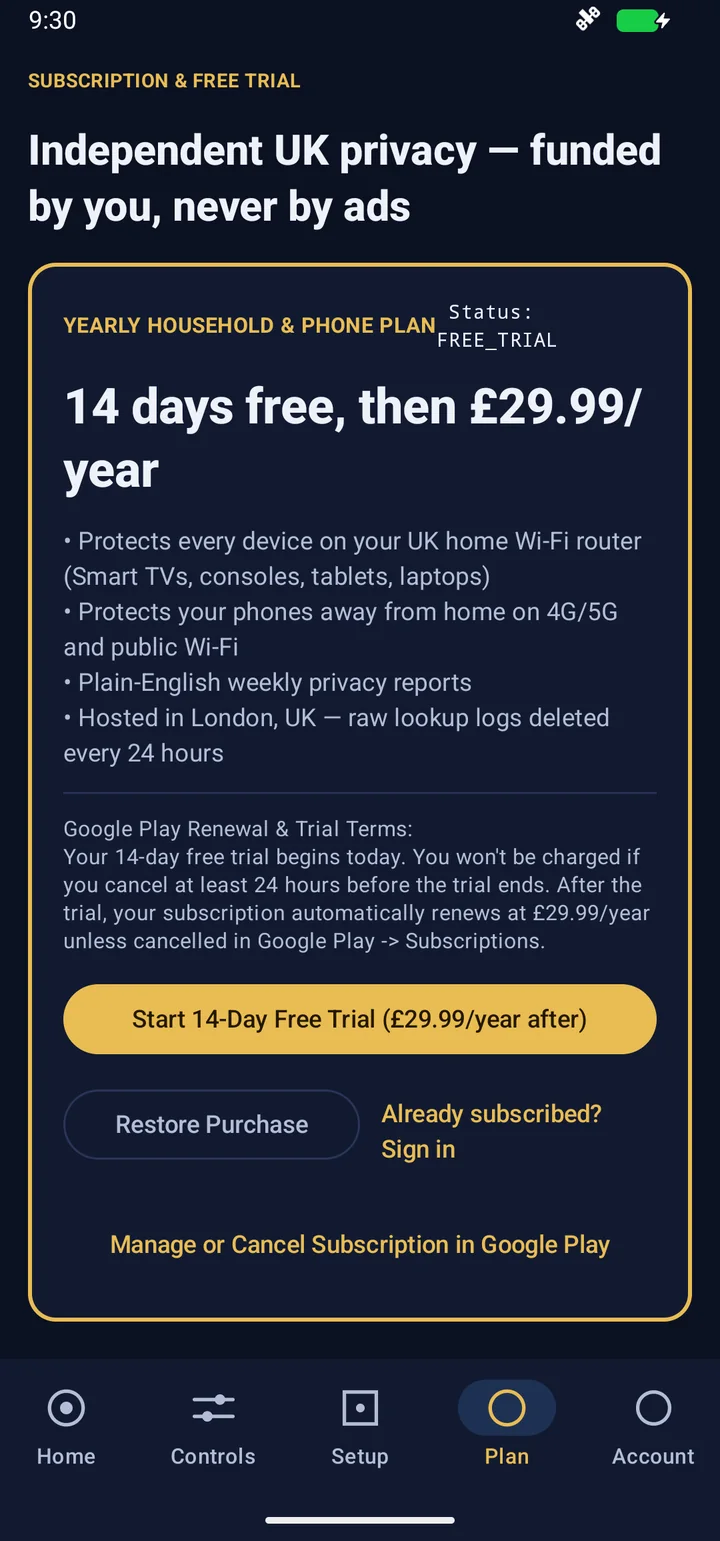
Plan
£17.99 a year per person, tied to the Google account you buy with, with a free trial first. You get one unique DNS setting, which you can register twice, on your phone and your home router. Setting up the router is part of setup, so everyone at home is covered.
- What the plan includes, the price and the trial length.
- The renewal terms, in full, before you start.
- Restore a purchase, or manage and cancel through Google Play.
Current prices are on the pricing page.
Tab 5 of 5
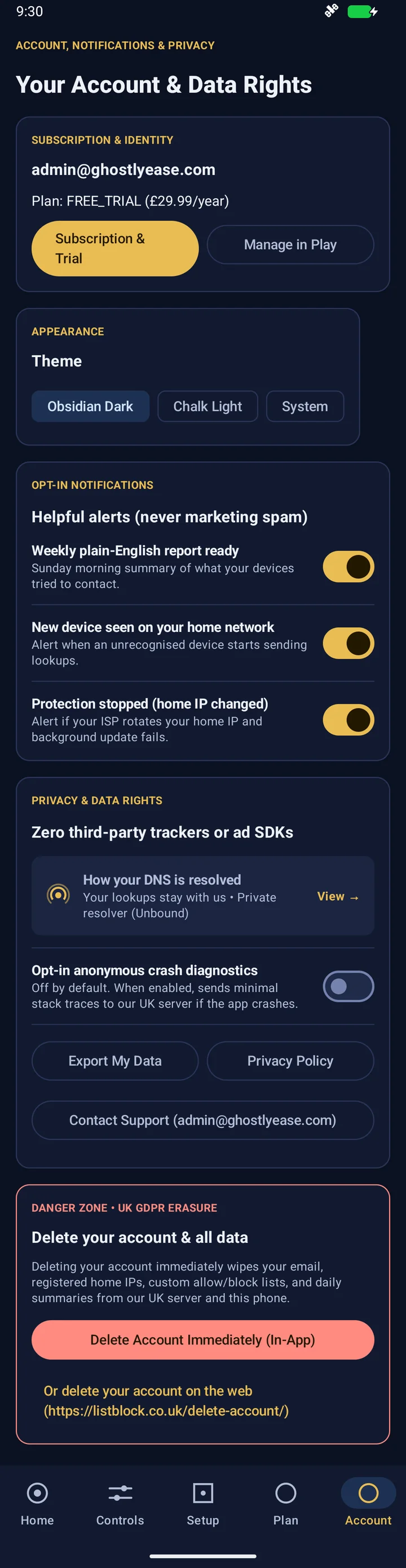
Account
Your subscription, your alerts and your data, in one place.
- Your plan and a link to manage it in Google Play.
- Dark, light or system theme.
- Optional alerts: weekly report, new device seen, protection stopped.
- Export your data, read the privacy policy or contact support.
- Delete your account and all its data from inside the app.
You can also delete your account on the web.